
These examples are starting points. Replace the sample wording, links, hours, account, groups, and cooldown with information that is accurate for your business.
Sample rule in TGBotSender
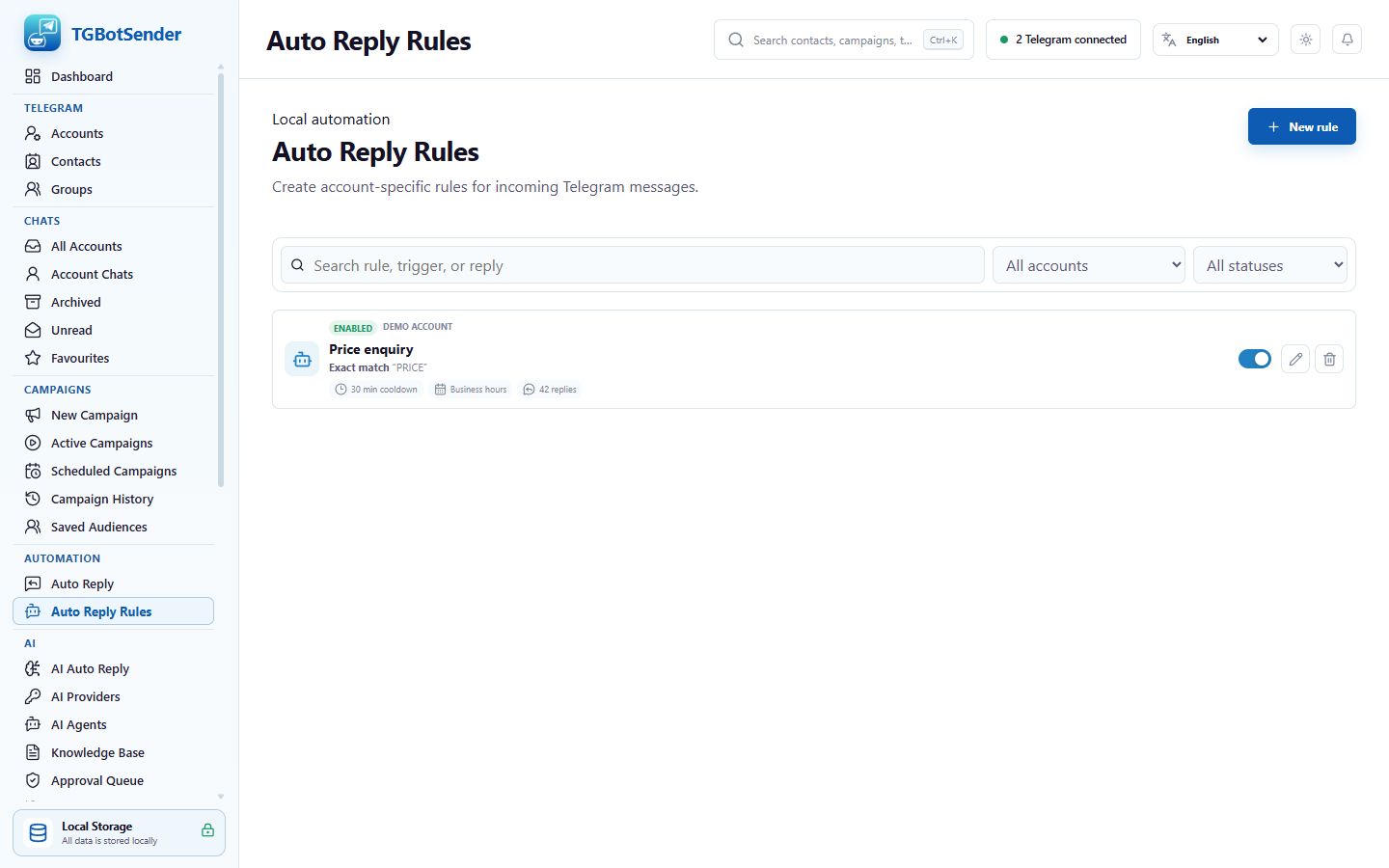
Example 1 — Exact pricing request
- Rule name: Price enquiry.
- Trigger type: Exact. Trigger text:
PRICE. - Reply: Thanks for your interest. View our current plans at https://your-domain.example/pricing. Reply SUPPORT if you need help choosing a plan.
- Scope: Private chats. Cooldown: 30 minutes.
- Why use Exact: it responds only when the complete trimmed message is PRICE; letter case does not matter.
Example 2 — Greeting with an away reply
- Rule name: Business-hours greeting.
- Trigger type: Exact. Trigger text:
Hello. Create another rule forHiif both greetings should work. - Reply: Hello! How can we help you today?
- Enable business hours for Monday to Friday, 09:00–18:00, using the computer’s local time.
- Outside action: Send away reply. Away message: Thanks for contacting us. Our team is available Monday to Friday, 9:00 AM–6:00 PM. We will reply when we reopen.
- Scope: Private chats. Cooldown: 60 minutes.
Example 3 — Support keyword in selected groups
- Rule name: Group support direction.
- Trigger type: Contains. Trigger text:
support. - Reply: For account support, please message our support team privately and do not post license keys, login codes, or API credentials in the group.
- Scope: Selected groups. Choose only the groups where this response is appropriate.
- Cooldown: 30 minutes to prevent repeated replies during an active discussion.
Example 4 — Send a brochure
- Rule name: Product brochure.
- Trigger type: Starts with. Trigger text:
brochure. - Reply: Here is our latest product brochure. Please contact us if you have any questions.
- Use Add attachment to select the current brochure file.
- Scope: Private chats. Cooldown: 24 hours. Keep the attachment path available on this computer.
Test every example
- Temporarily use a narrow private-chat or selected-group scope.
- Send messages that should match and messages that should not match.
- Verify normal-hours and outside-hours behavior when scheduling is enabled.
- Send the trigger again during cooldown and confirm the cooldown outcome appears in Recent activity.
- Check the received text, link, and attachment from the recipient side before wider use.
Troubleshooting samples
If Exact does not respond, compare the entire message including punctuation. If Contains responds too broadly, replace it with Exact or a more specific phrase. If an attachment fails, confirm the file still exists. If no activity appears, confirm the rule is enabled, the correct account and scope are selected, and the app remains connected.