
Rule-based auto replies evaluate new incoming Telegram messages locally while TGBotSender and the selected account are connected.
Before creating a rule
- Connect the Telegram user account that will send the reply and wait until it is Ready.
- Keep TGBotSender running, or enable the setting that keeps it available in the system tray.
- Decide which exact message pattern, chats, operating hours, and cooldown the rule should use.
Create the rule
- Open Automation → Auto Reply Rules and select New rule.
- Enter a clear rule name and choose the Telegram account.
- Choose Exact, Contains, Starts with, or Ends with, then enter the trigger text. Matching ignores letter case and surrounding spaces.
- Write a reply message, attach one supported file, or provide both.
- Choose Private chats, Selected groups, or All allowed chats. Selected groups must belong to the chosen account.
- Optionally limit the rule to selected days and local start/end times. Outside those hours, ignore the message or send a text away reply.
- Set the cooldown in minutes. The cooldown is tracked separately for this rule, account, and conversation.
- Save the rule, confirm that it is enabled, and test it from an authorized Telegram conversation.
Rules workspace
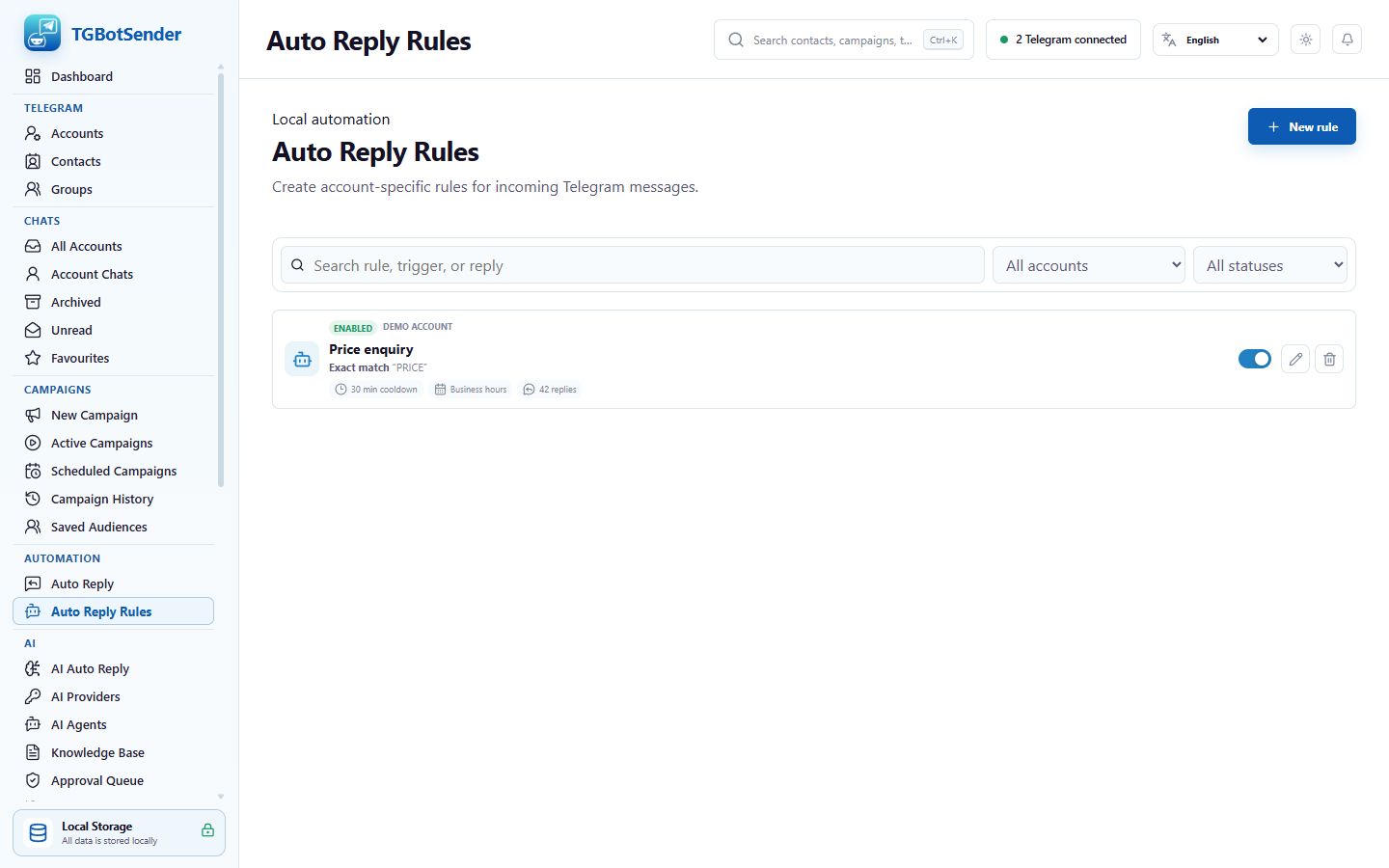
Choose the trigger carefully
- Use Exact for a short command such as
PRICEwhen the whole incoming message must match. - Use Contains when a keyword may appear anywhere in a longer message.
- Use Starts with for a predictable opening phrase such as
brochure. - Use Ends with for a predictable closing phrase, remembering that punctuation is part of the incoming text.
- Avoid overlapping enabled rules for the same account and chat scope. TGBotSender sends one allowed matching rule, not every matching reply.
Monitor replies
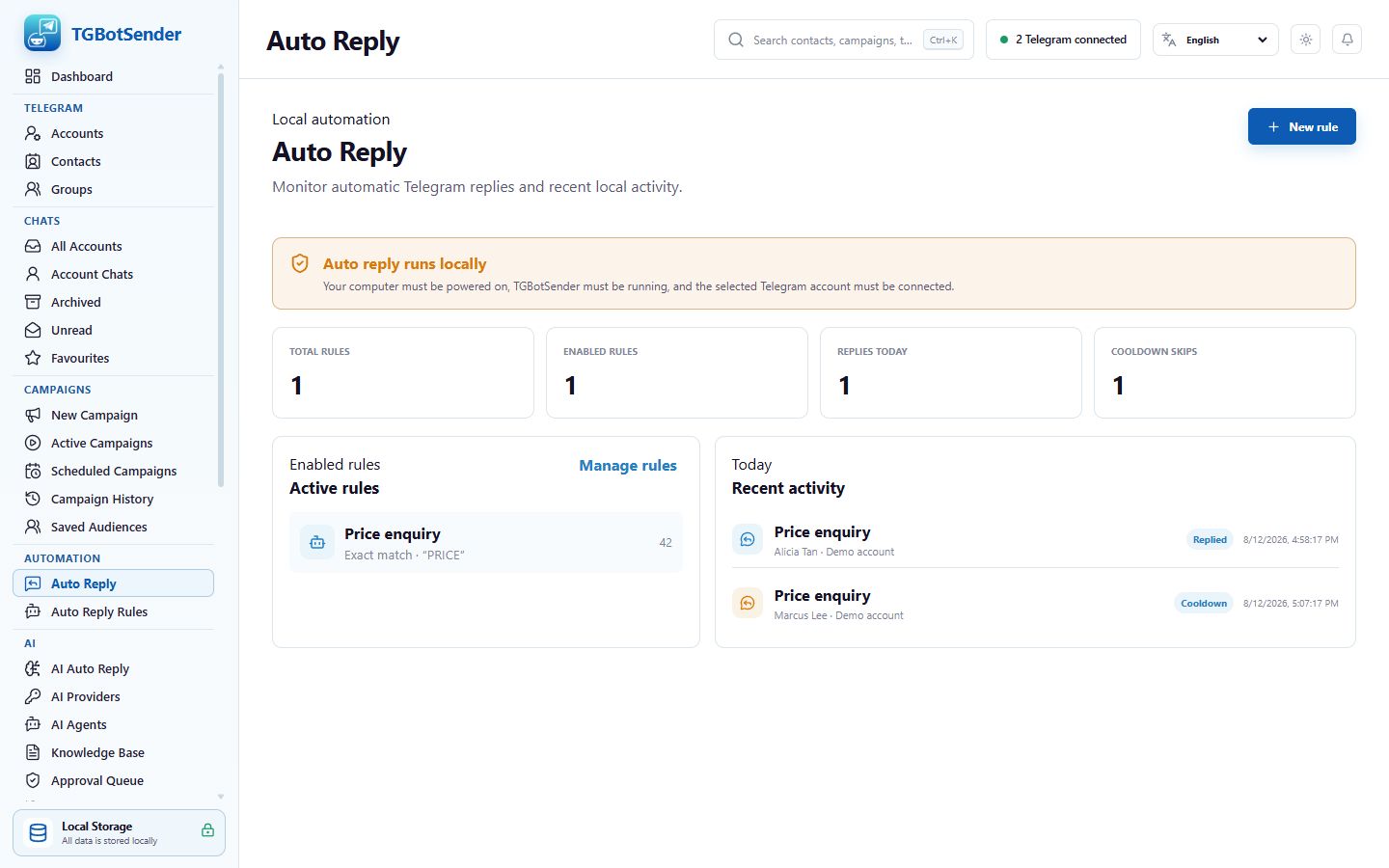
- Open Automation → Auto Reply to view total rules, enabled rules, replies today, and cooldown skips.
- Review Recent activity for replied, away reply, cooldown, ignored, or failed outcomes.
- Open Manage rules when a trigger, scope, schedule, or response needs adjustment.
Activity dashboard
Important limitations
Historical messages received while the account was disconnected are not answered. The computer, TGBotSender, internet connection, and selected Telegram account must remain available. An outside-hours away response is text-only, and Telegram permissions or connection errors can still prevent delivery.