
An AI agent can use individual Markdown files or a structured agent folder, and each Telegram account can be assigned more than one agent.
Import resources
- Open AI → Agents and create or edit an agent.
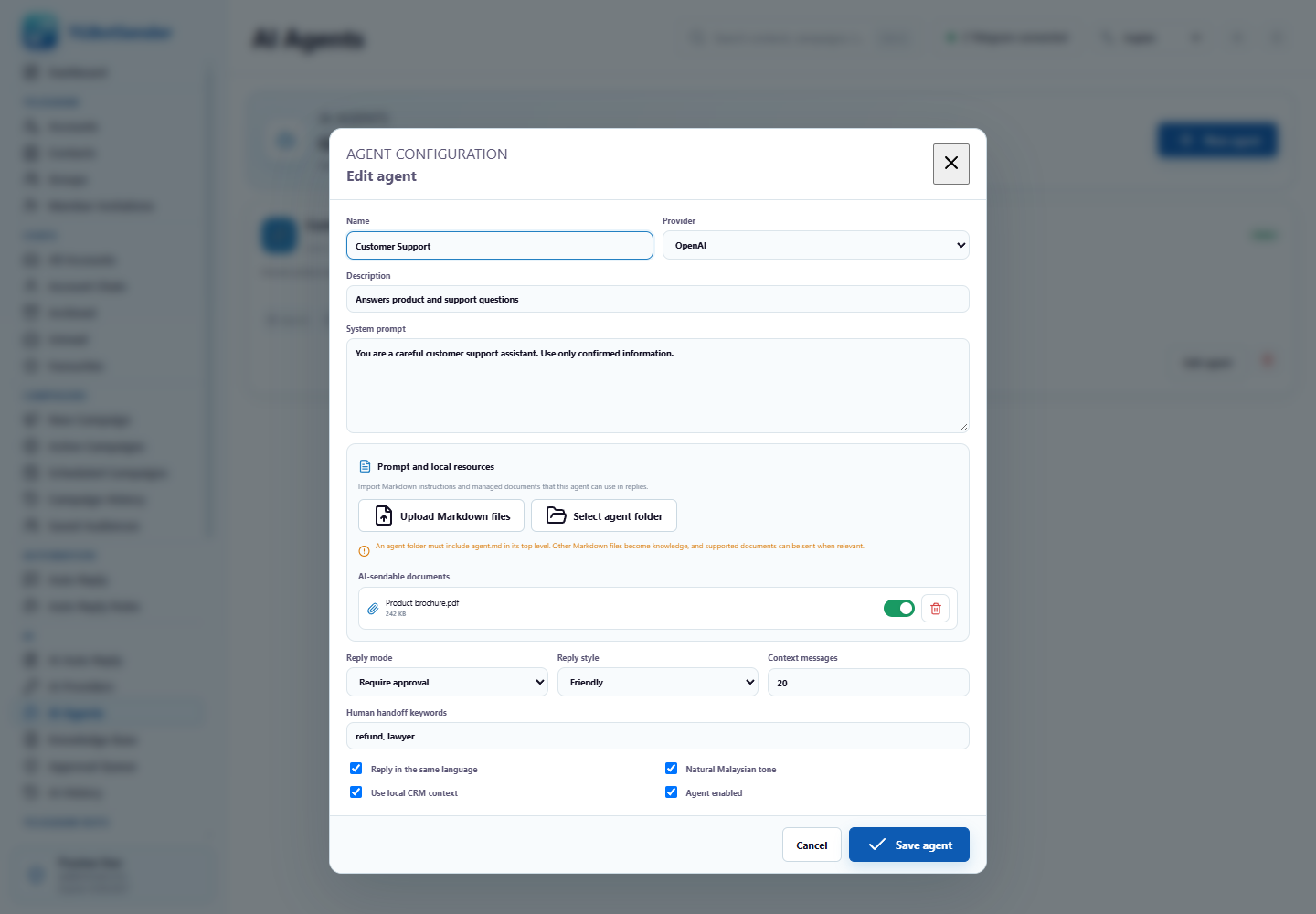
- Choose Upload Markdown files to add individual .md knowledge files, or Select agent folder to import a prepared folder.
- When selecting a folder, include a top-level
agent.md. Its instructions become the agent system prompt. - Add other Markdown knowledge and supported documents when the agent may need product information or files to send.
- Review imported resources, then enable, disable, or remove items as needed.
Agent resource screen
Supported documents
Agents can manage supported PDF, Word, Excel, CSV, text, PowerPoint, and ZIP resources. Keep each folder focused and avoid secrets or unrelated material. The importer validates file counts and size limits before storing a managed copy.
Assign agents to an account
- Open AI → Auto Reply.
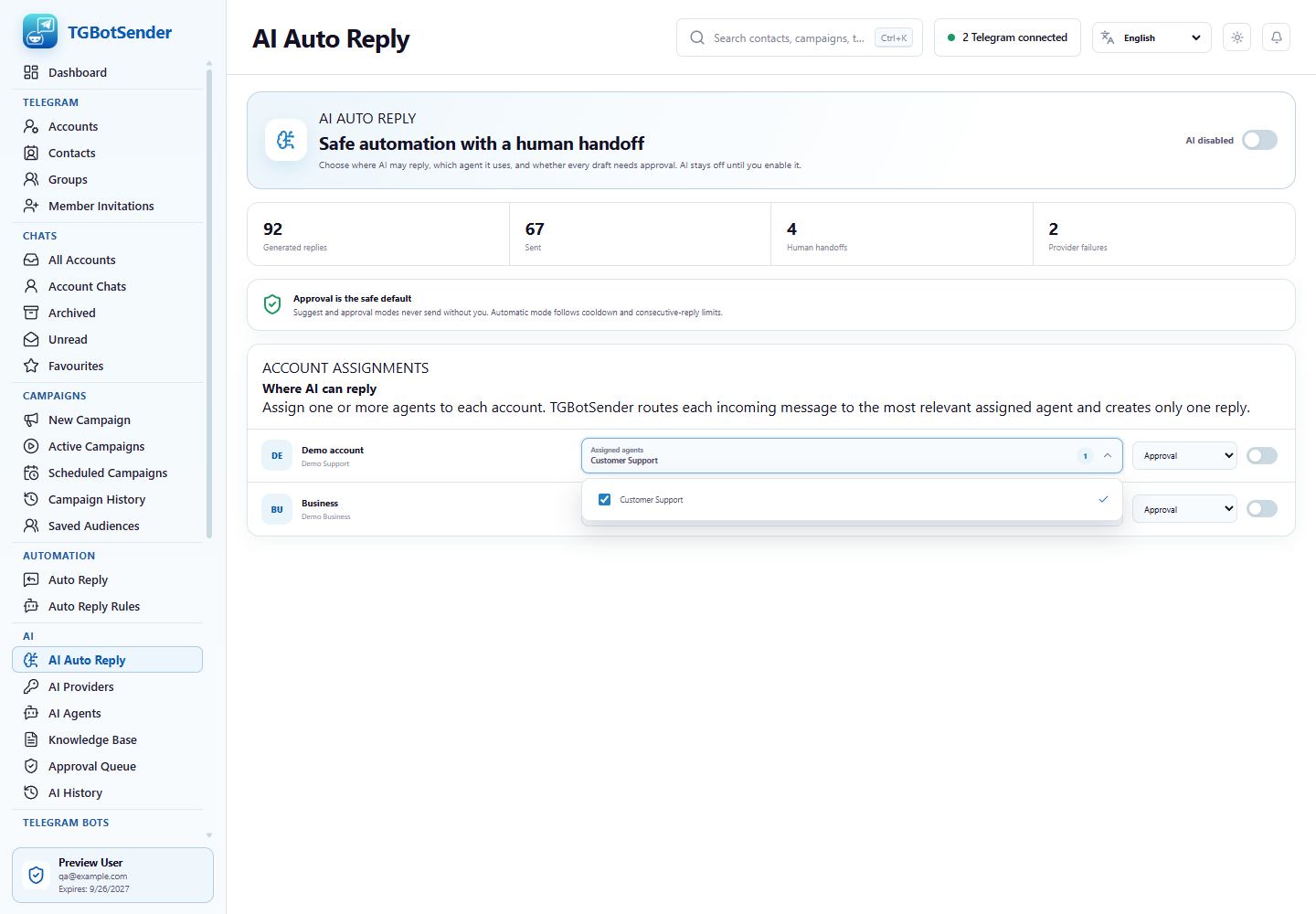
- Open the account assignment dropdown.
- Select one or more agents for the account and save.
- Repeat for other accounts when their business role or knowledge differs.
Multi-select assignment
How routing works
For each eligible incoming message, TGBotSender chooses one relevant assigned agent. It does not ask every assigned agent to send a duplicate reply. In approval mode, review both the draft and any proposed file before approving.